Not in the "AI builds the whole application while I drink coffee" kind of way.
More as another tool I can use while I'm building. Sometimes I use it to generate boring code. Sometimes I use it when I'm stuck.
And sometimes I just use it to ask: "Is there a better way to do this?"
I still think you need to understand the code you're writing though. AI can generate code very quickly.
Unfortunately, it can also generate bad code very quickly.
So in this article I want to build a small Django application and show how I would use AI along the way. We're going to build a simple idea board.
Users can submit an idea, give it a description and vote for ideas they like.
Nothing groundbreaking.
But it's enough to build something real.
What we're building
The application is going to have three main things. Users should be able to see a list of ideas.
They should be able to add a new idea. And they should be able to vote for ideas.
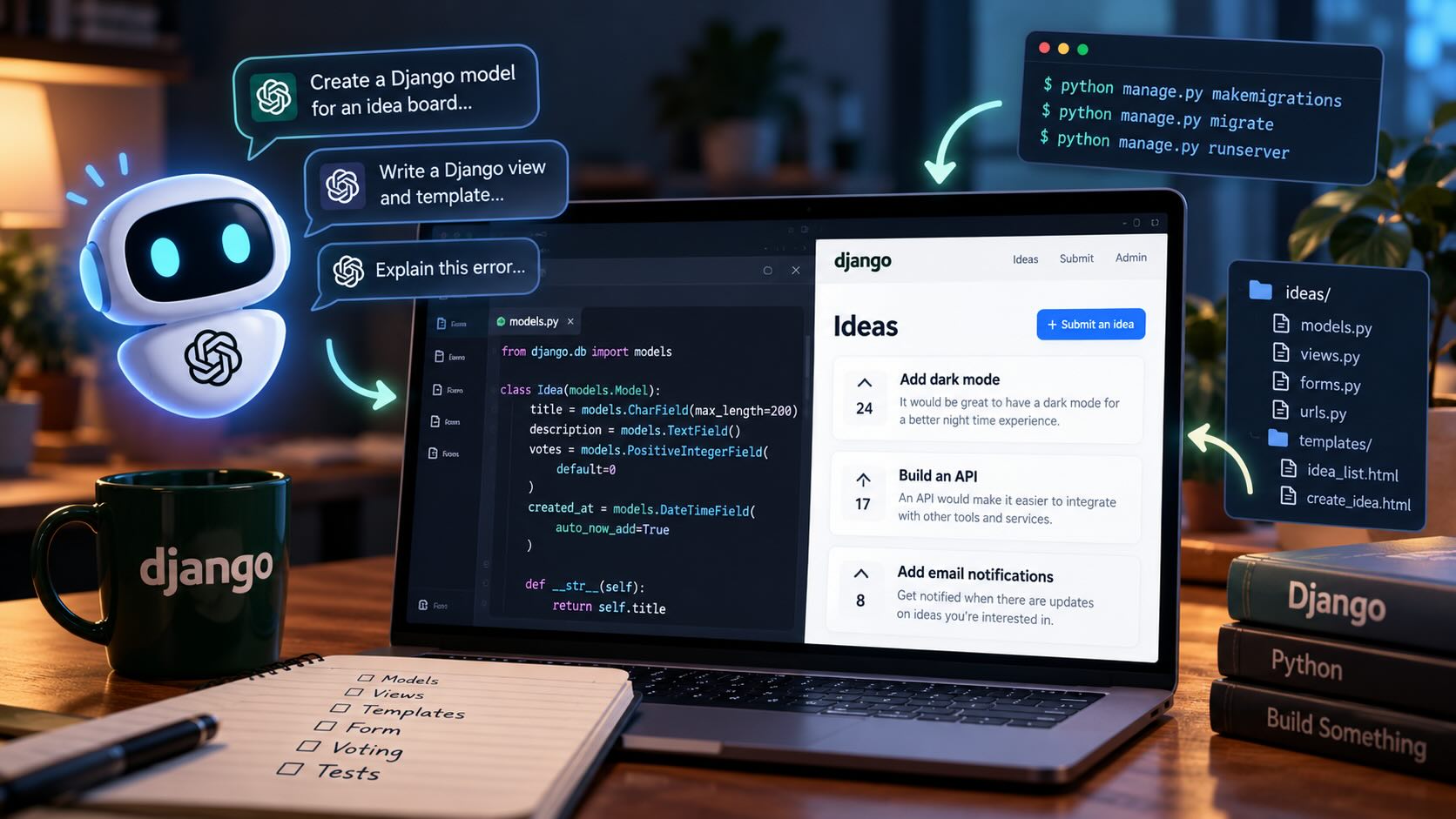
Something like this:
Ideas

[24 votes] Add dark mode
[17 votes] Build an API
[8 votes] Add email notifications

+ Submit an idea
That's enough for now.
One of the easiest ways to make a small project complicated is to keep adding features before the basic version works.
I've done that more times than I want to admit.
Creating the Django project
Let's start by creating a new virtual environment:
python3 -m venv venv
source venv/bin/activate
On Windows you can activate it with:
venv\Scripts\activateThen install Django:
pip install djangoCreate the project:
django-admin startproject config .And create an app for our ideas:
python manage.py startapp ideasAdd the app to INSTALLED_APPS:
INSTALLED_APPS = [
    ...
    "ideas",
]
Then start the server:
python manage.py runserverAt this point we have an empty Django project.
This is actually one place where I normally don't bother using AI.
I know these commands already, and asking AI to generate them would probably take longer than just typing them.
I think that's an important part of using AI well.
You don't need to use it for everything.
Creating the model
Now we need somewhere to store the ideas.
We could ask AI to create a model for us.
A prompt could be something as simple as:
Create a simple Django model for an idea board.

Each idea should have:
- title
- description
- number of votes
- created timestamp

Keep the model simple.
AI will probably generate something close to this:
from django.db import models


class Idea(models.Model):
    title = models.CharField(max_length=200)
    description = models.TextField()
    votes = models.PositiveIntegerField(default=0)
    created_at = models.DateTimeField(auto_now_add=True)

    def __str__(self):
        return self.title
And honestly, that's completely fine for what we're building.
This is the type of code where AI can save a little bit of typing without making things unnecessarily complicated.
But I still want to read the model before I add it to my project.
For example, maybe AI decides that votes should be a separate model.
That could actually be a better solution if we need to know which users voted.
But for this version of the project, we don't need that yet.
A simple integer is enough.
This is something AI isn't always very good at.
It likes to solve the problem you might have six months from now instead of the problem you actually have today.
Creating the database table
Once the model is ready, create and run the migrations:
python manage.py makemigrations
python manage.py migrate
We can also register the model in the Django admin.
Open ideas/admin.py:
from django.contrib import admin

from .models import Idea


admin.site.register(Idea)
Create a superuser:
python manage.py createsuperuserThen open the admin and add a couple of ideas manually.
I like doing this before building the rest of the interface.
It gives me some data to work with and confirms that the model is actually doing what I expect.
Showing the ideas
Now we need a page that shows all the ideas.
Let's create a view:
from django.shortcuts import render

from .models import Idea


def idea_list(request):
    ideas = Idea.objects.all().order_by("-votes", "-created_at")

    return render(request, "ideas/idea_list.html", {
        "ideas": ideas,
    })
Then create ideas/urls.py:
from django.urls import path

from . import views


urlpatterns = [
    path("", views.idea_list, name="idea_list"),
]
And include it in the main config/urls.py file:
from django.contrib import admin
from django.urls import include, path


urlpatterns = [
    path("admin/", admin.site.urls),
    path("", include("ideas.urls")),
]
Nothing fancy so far.
We're just reading the ideas from the database and passing them to a template.
Using AI for the boring HTML
This is one place where I really like using AI.
I don't mind writing HTML, but creating the first version of a simple page isn't exactly the most exciting part of building something.
I might give AI a prompt like:
Create a simple Django template for an idea board.

The context variable is called "ideas".

Each idea has:
- title
- description
- votes

Keep the HTML simple.
Do not add JavaScript or CSS frameworks.
That gives AI some very clear boundaries.
I don't want it to decide that we suddenly need React, Tailwind, HTMX, Alpine and six npm packages just to print a list.
The template could look like this:
<h1>Ideas</h1>

{% for idea in ideas %}
    <article>
        <h2>{{ idea.title }}</h2>

        <p>
            {{ idea.description }}
        </p>

        <p>
            {{ idea.votes }} votes
        </p>
    </article>
{% empty %}
    <p>No ideas yet.</p>
{% endfor %}
Again, not complicated.
But AI probably saved me a couple of minutes.
That's mostly how I think about it.
Lots of small time savings add up.
Adding a form
Next we need users to be able to submit an idea.
We'll create a Django ModelForm.
Create ideas/forms.py:
from django import forms

from .models import Idea


class IdeaForm(forms.ModelForm):
    class Meta:
        model = Idea
        fields = [
            "title",
            "description",
        ]
Then update our views:
from django.shortcuts import redirect, render

from .forms import IdeaForm
from .models import Idea


def idea_list(request):
    ideas = Idea.objects.all().order_by("-votes", "-created_at")

    return render(request, "ideas/idea_list.html", {
        "ideas": ideas,
    })


def create_idea(request):
    if request.method == "POST":
        form = IdeaForm(request.POST)

        if form.is_valid():
            form.save()
            return redirect("idea_list")
    else:
        form = IdeaForm()

    return render(request, "ideas/create_idea.html", {
        "form": form,
    })
Add the new URL:
urlpatterns = [
    path("", views.idea_list, name="idea_list"),
    path("new/", views.create_idea, name="create_idea"),
]
And create the template:
<h1>Submit an idea</h1>

<form method="post">
    {% csrf_token %}

    {{ form.as_p }}

    <button type="submit">
        Submit idea
    </button>
</form>
Now we can add ideas without using the admin.
Where AI becomes really useful
So far, none of this code is particularly difficult.
This is normal Django.
The place where I think AI becomes much more useful is when something isn't working.
Let's say I submit the form and Django gives me an error.
In the past, I would normally copy part of the error into Google, open Stack Overflow, read five answers from 2014 and eventually figure out what I did wrong.
I still use Google and documentation.
But now I can also give the error to AI and ask it to explain what's happening.
The important word there is explain.
I don't just want:
Fix this error.I'd rather ask:
I'm building a Django application and getting this error.

Explain what the error means, what is likely causing it, and show me the smallest change I can make to fix it.

Do not rewrite the whole view.
That last sentence is there for a reason.
Otherwise you can give AI a four-line function with one mistake and get a 70-line replacement using classes, services, repositories and probably a factory pattern for good measure.
Adding voting
Now let's make the voting button work.
Add this view:
from django.shortcuts import get_object_or_404, redirect


def vote_for_idea(request, pk):
    idea = get_object_or_404(Idea, pk=pk)

    if request.method == "POST":
        idea.votes += 1
        idea.save(update_fields=["votes"])

    return redirect("idea_list")
Add another URL:
path(
    "<int:pk>/vote/",
    views.vote_for_idea,
    name="vote_for_idea",
),
Then add the voting form to the template:
<form
    method="post"
    action="{% url 'vote_for_idea' idea.pk %}"
>
    {% csrf_token %}

    <button type="submit">
        Vote
    </button>
</form>
And now users can vote.
There is a pretty obvious problem though.
A user can press the button 100 times.
They can probably write a script and press it 10,000 times if they really care about winning our extremely serious idea board.
This is where things start getting more interesting.
Ask AI to find problems instead of writing features
One of my favourite ways to use AI is to give it code that already works and ask it what's wrong with it.
For example:
Review this Django voting view.

Do not rewrite it yet.

Tell me:
- potential bugs
- security issues
- concurrency problems
- things that could become a problem if the app gets more users
That's a much better use of AI than simply saying:
Make this better.If we gave AI our voting code, one of the things it should notice is the way we're incrementing the vote count:
idea.votes += 1
idea.save()
This can cause a race condition.
Imagine two users vote at almost exactly the same time.
Both requests could read:
votes = 10Both add one.
And both save:
votes = 11We received two votes, but the counter only increased once.
For our tiny project, this might never happen.
But it's still worth fixing.
Let the database increment the value
Django has F() expressions that let us update the value directly in the database.
We can change the view to this:
from django.db.models import F
from django.shortcuts import get_object_or_404, redirect


def vote_for_idea(request, pk):
    idea = get_object_or_404(Idea, pk=pk)

    if request.method == "POST":
        Idea.objects.filter(pk=idea.pk).update(
            votes=F("votes") + 1
        )

    return redirect("idea_list")
Now the database performs the increment.
This is a good example of where AI can actually teach you something.
Maybe I know how to build the feature.
But I don't immediately think about two requests updating the same row at the same time.
AI can be useful as an extra pair of eyes.
Stopping users from voting forever
The next issue is that one user can still vote repeatedly.
There are many ways to solve this.
We could require accounts.
We could store votes in the session.
We could create a separate vote model.
For a real application where votes actually matter, I would probably create a separate model.
Something like:
class Vote(models.Model):
    idea = models.ForeignKey(
        Idea,
        on_delete=models.CASCADE,
        related_name="idea_votes",
    )
    user = models.ForeignKey(
        settings.AUTH_USER_MODEL,
        on_delete=models.CASCADE,
    )

    class Meta:
        constraints = [
            models.UniqueConstraint(
                fields=["idea", "user"],
                name="unique_idea_vote",
            )
        ]
Now the database itself can make sure one user can't vote twice for the same idea.
This is already getting quite a bit more complicated than our original integer field.
And that's fine.
The important thing is that we added the complexity because we needed it.
Not because AI decided our simple idea board needed a perfect voting architecture before we had our first user.
AI is pretty good at writing tests
Another place where I use AI a lot is testing.
I know I should write more tests.
I'm also very good at finding reasons not to write them.
AI removes some of that friction.
For example, I could give it our create_idea view and ask:
Write Django tests for this view.

Test:
- loading the page
- submitting a valid idea
- submitting invalid data
- the redirect after a successful submission

Use Django's built-in TestCase.
It might generate something like:
from django.test import TestCase
from django.urls import reverse

from .models import Idea


class CreateIdeaTests(TestCase):
    def test_create_idea_page_loads(self):
        response = self.client.get(
            reverse("create_idea")
        )

        self.assertEqual(response.status_code, 200)

    def test_valid_idea_is_created(self):
        response = self.client.post(
            reverse("create_idea"),
            {
                "title": "Add dark mode",
                "description": "Everything should be darker.",
            },
        )

        self.assertEqual(Idea.objects.count(), 1)
        self.assertRedirects(
            response,
            reverse("idea_list"),
        )

    def test_invalid_idea_is_not_created(self):
        response = self.client.post(
            reverse("create_idea"),
            {
                "title": "",
                "description": "",
            },
        )

        self.assertEqual(Idea.objects.count(), 0)
        self.assertEqual(response.status_code, 200)
I still read the tests.
I still run them.
And I still check that they actually test what I think they test.
But getting the first version generated is useful.
Don't paste secrets into AI
This is probably obvious, but I think it's worth mentioning.
Don't blindly copy your entire production configuration into an AI chat.
Your Django settings might contain:
SECRET_KEY
DATABASE_PASSWORD
STRIPE_SECRET_KEY
AWS_SECRET_ACCESS_KEY
EMAIL_PASSWORD
You don't need any of those values when you're asking why a Django view isn't working.
Replace secrets with fake values before sharing code.
The same goes for customer information and private data.
AI is a programming tool.
That doesn't mean every piece of information in your application needs to be sent to it.
The biggest AI mistake I see
I think the biggest mistake people make when using AI for programming is accepting code they don't understand.
It's incredibly tempting.
You ask for a feature. AI generates 150 lines of code. You paste it into the project. It works.
Great.
Then two weeks later something breaks.
Now you have to debug code that you didn't really write and never properly understood.
That's not a very nice place to be.
I try to treat AI-generated code exactly like code I found in a random Stack Overflow answer. Maybe it's great. Maybe it's wrong.
Either way, I'm responsible for what happens after I put it in my application.
Give AI smaller problems
I've also found that AI works much better when I give it small, specific problems.
This:
Build me a SaaS with Django.Isn't a very useful prompt. You might get a lot of code. But more code isn't necessarily the same thing as progress. I'd rather ask:
I have a Django ModelForm for creating an Idea.

I want the title field to have a maximum length of 100 characters and show a helpful validation error.

What's the simplest Django way to do this?
That's a small problem. I can understand the answer. I can test it. And then I can move on to the next thing.
That's much closer to how I actually build software anyway.
Use AI to understand code too
Generating code gets most of the attention.
But I think explaining code is just as useful.
If I find something in the Django documentation that I don't completely understand, I can paste a small example and ask AI to explain it in simpler terms. Or I can ask:
Why would I use select_related here?

Show me what database queries Django will make with and without it.
That's really useful. Especially when you're learning.
Instead of only getting an answer, you can keep asking questions until the idea actually makes sense.
AI can also be wrong
This shouldn't be surprising.
But AI can confidently give you Django code that doesn't work. It might use an option from an old Django version. It might invent a method. It might import something from the wrong module. Or it might give you code that technically works but is a terrible idea.
If I'm unsure about something important, I still check the Django documentation.
Especially for things involving authentication, permissions, security, database transactions or deployment.
The faster AI lets me write code, the more important it becomes to actually review that code.
What I would ask AI before shipping this
Once the application works, I think there's one final AI prompt that's quite useful.
Something like:
I'm about to deploy this Django application.

Review the following models, views and settings.

Do not rewrite the application.

Look specifically for:
- security problems
- missing permission checks
- database problems
- obvious performance issues
- things that are okay in development but dangerous in production

Explain why each issue matters.
I like this because I'm not asking AI to redesign everything. I'm asking it to review what I've already built.
Then I can decide which suggestions actually make sense.
Would I build a Django project without AI now?
Of course.
I don't need AI to write Django.
But I probably wouldn't choose to build a larger project without using it somewhere in the process anymore.
It's too useful. It can generate repetitive code. It can explain errors. It can review a function. It can suggest edge cases I forgot about. It can help write tests.
And it can explain parts of Django I'm not completely familiar with.
But I don't want it making every decision for me.
I still want to understand the architecture.
I still want to choose how the data is modelled.
And I definitely want to understand the code running in production.
Summary
AI isn't replacing Django development for me.
It's making parts of Django development faster. And I think that's a much more useful way to look at it.
Build the project yourself. Use AI when it can save you time. Ask it to explain things when you're stuck. Use it to review code you've already written.
And don't blindly paste 500 lines of generated code into your project just because it looks impressive.
In this article we built a very small idea board. But the same workflow applies to much bigger applications.
Break the project into small pieces.
Solve one problem at a time. And use AI as another tool in the toolbox.
That's the way I've found it most useful.